Dashboard
The home dashboard gives administrators a branch-aware view of budgets, expiring subscriptions, support activity, and key asset metrics in one place.
What it does: Central operational view with expiring subscription tables, branch spend summaries, budget progress, and quick navigation to modules.
Key capabilities
- Home dashboard with branch-aware behavior.
- Views for expiring subscriptions and live subscription details.
- Budget and spend widgets for hardware, software, and service categories.
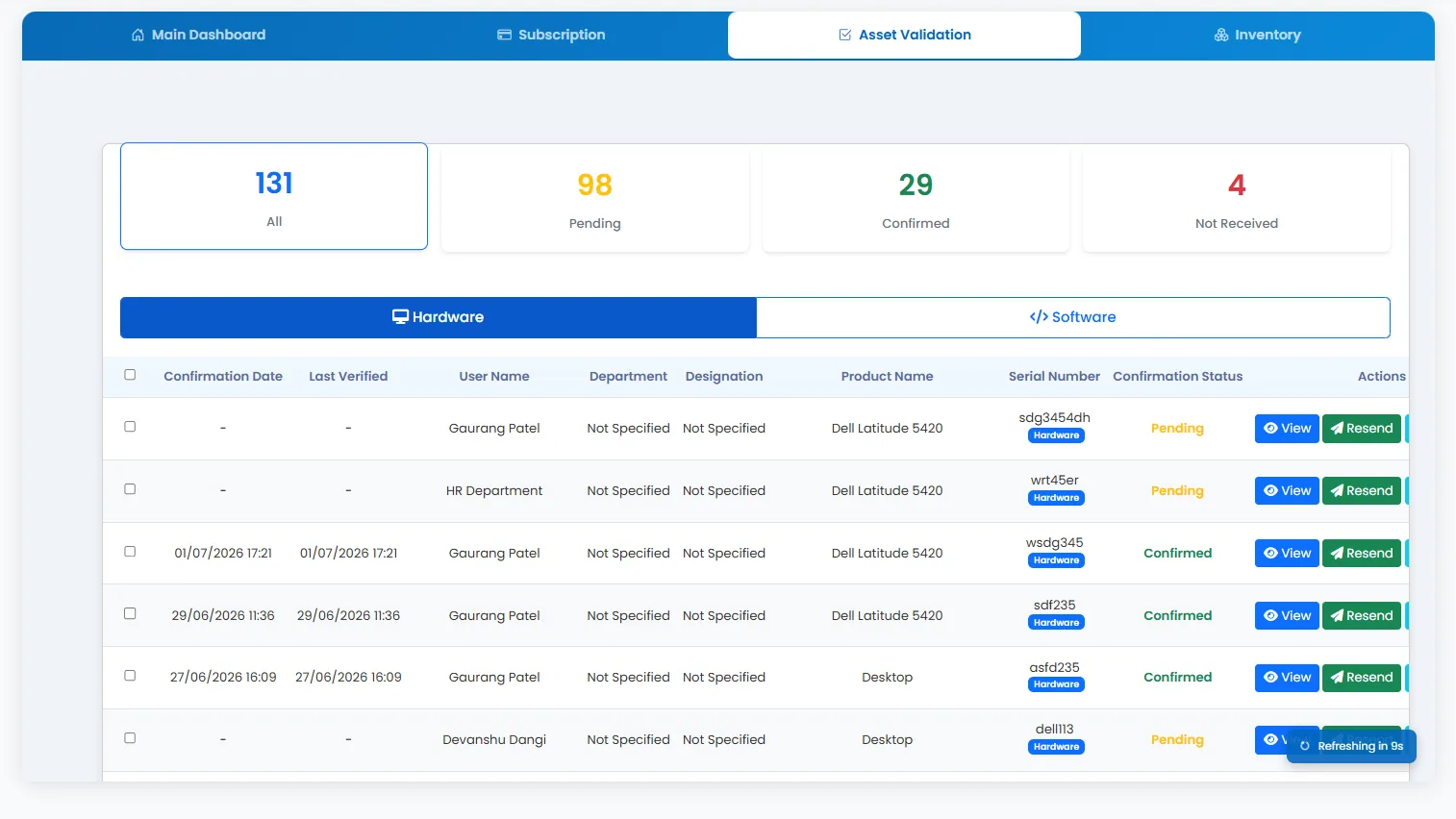
- Quick access tabs for Main Dashboard, Subscription, Asset Validation, and Inventory views.
- Report pages for subscriptions and related details.
How to use
- 1 Log in — the Dashboard opens by default for authorized users.
- 2 Review expiring subscriptions using the day-range filters (90, 60, 30, 15 days).
- 3 Switch tabs for Subscription, Asset Validation, or Inventory summaries.
- 4 Check branch spend cards and budget progress bars at the bottom.
- 5 Click View More or module links to open detailed records.
- 6 Use the sidebar to jump into any module requiring action.