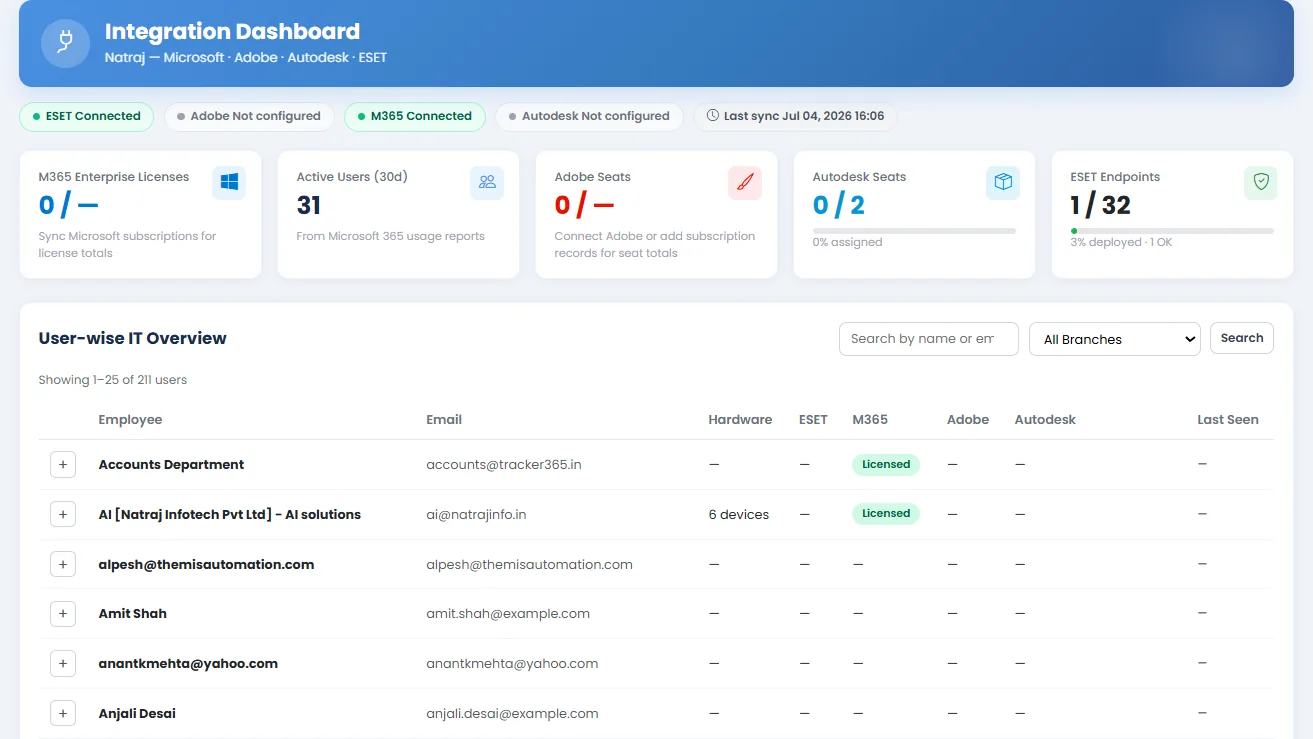
Integration Dashboard
The Integration Dashboard gives administrators a cross-platform view of connected services, sync health, and user-device relationships synced from Microsoft, Google, and other integrations.
What it does: Operational visibility panel for integration status, live subscription views, and user-device tracking across connected enterprise platforms.
Key capabilities
- Cross-integration dashboard for live user-device tracking.
- Integration dashboard and user-device tracking panel.
- Views for expiring subscriptions and live subscription details.
- Microsoft subscription sync status and usage visibility.
- Google Workspace sync status after connection.
How to use
- 1 Navigate to Integration Dashboard from the sidebar.
- 2 Review connected integrations and their current sync status.
- 3 Open the user-device tracking panel to see mapped devices per user.
- 4 Filter or search by branch, user, or platform where available.
- 5 Drill into subscription or device details linked from the dashboard widgets.
- 6 Use this view to identify unused licenses or unmanaged devices.