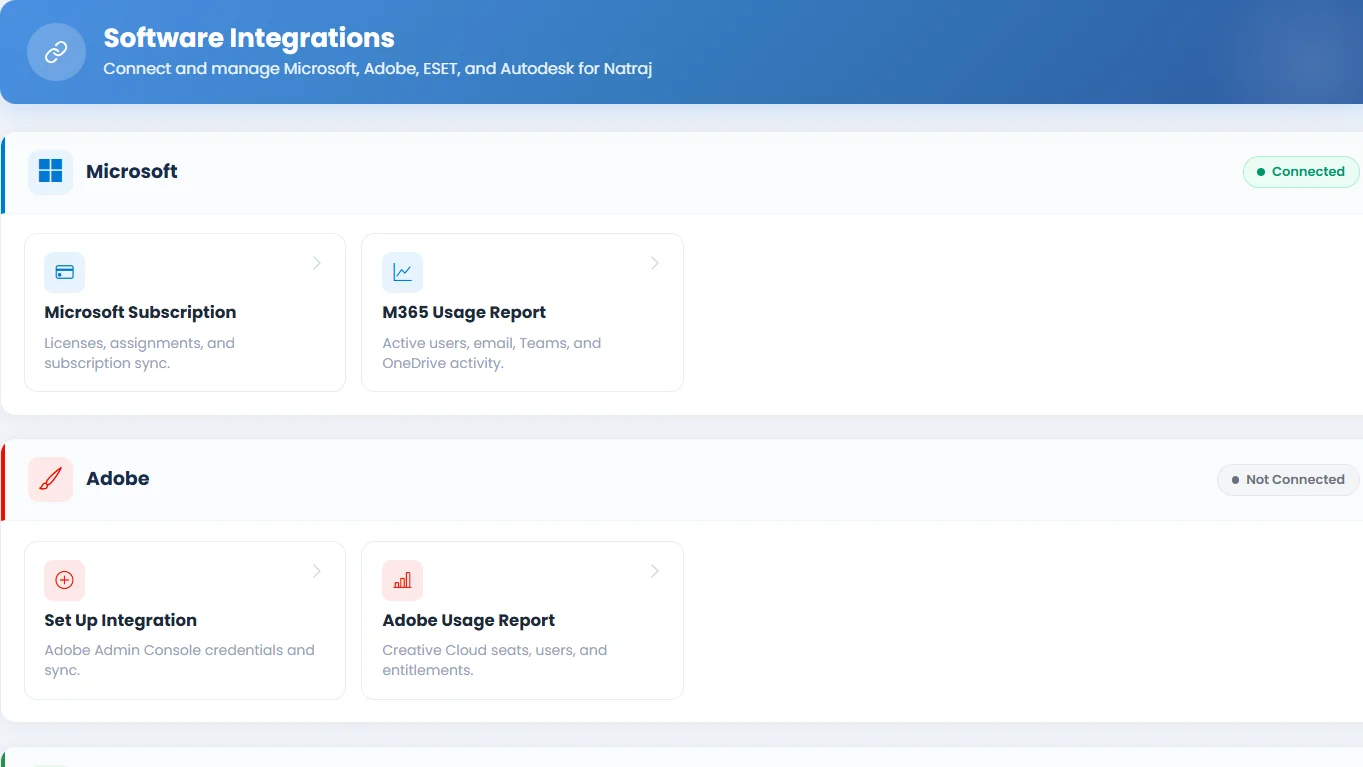
Integrations
Tracker365 extends beyond internal records by synchronizing users, subscriptions, and usage data from common enterprise platforms so teams can compare real-world software utilization against purchased entitlements.
What it does: Central hub to connect Microsoft 365, Google Workspace, Adobe, Autodesk, and ESET endpoint security with Tracker365 for automated sync and reporting.
Key capabilities
- Microsoft login, admin consent, callback handling, and Graph-based user sync.
- Microsoft subscription sync and live subscription views.
- Microsoft 365 usage reports with data and export endpoints.
- Google Workspace login, consent guidance, connection tests, and user sync.
- Adobe integration setup, connection testing, and usage reports.
- Autodesk integration setup, connection testing, and usage reports.
- ESET integration setup, connection testing, and device synchronization.
How to use
- 1 Open Integrations from the sidebar (admin access required).
- 2 Choose the platform you want to connect — Microsoft, Google, Adobe, Autodesk, or ESET.
- 3 Complete the authentication or admin-consent flow shown on screen.
- 4 Run the connection test to confirm Tracker365 can reach the external service.
- 5 Enable user or subscription sync and review imported records in the relevant modules.
- 6 Use usage report pages to compare licensed entitlements against actual utilization.