Multi Branch
Tracker365 supports multi-branch organizations so headquarters can manage sub-branches while each branch sees only its own operational data.
What it does: Branch hierarchy with branch-specific users, floors, rooms, budgets, and isolated data views.
Key capabilities
- Create, edit, and manage branches, including branch-specific user assignments.
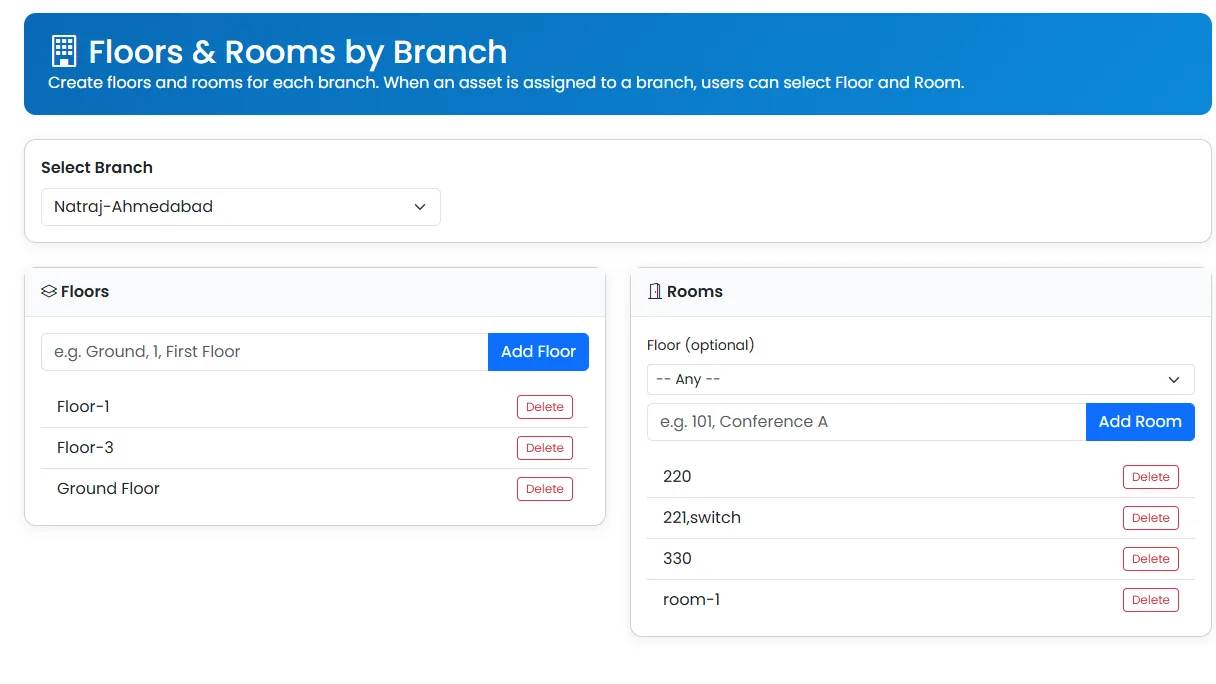
- Manage branch floors and rooms for precise asset location tracking.
- Module-based access with branch-aware visibility for assigned users.
- Export user and branch information as PDFs for record-keeping.
- Assign support teams and engineers at branch level.
How to use
- 1 Open Multi Branch (admin access required).
- 2 Create a branch with name, address, and contact details.
- 3 Add floors and rooms for granular asset placement.
- 4 Assign users to the branch and configure branch-level support teams.
- 5 Switch branch context to verify data isolation for branch users.
- 6 Export branch records for internal audits.