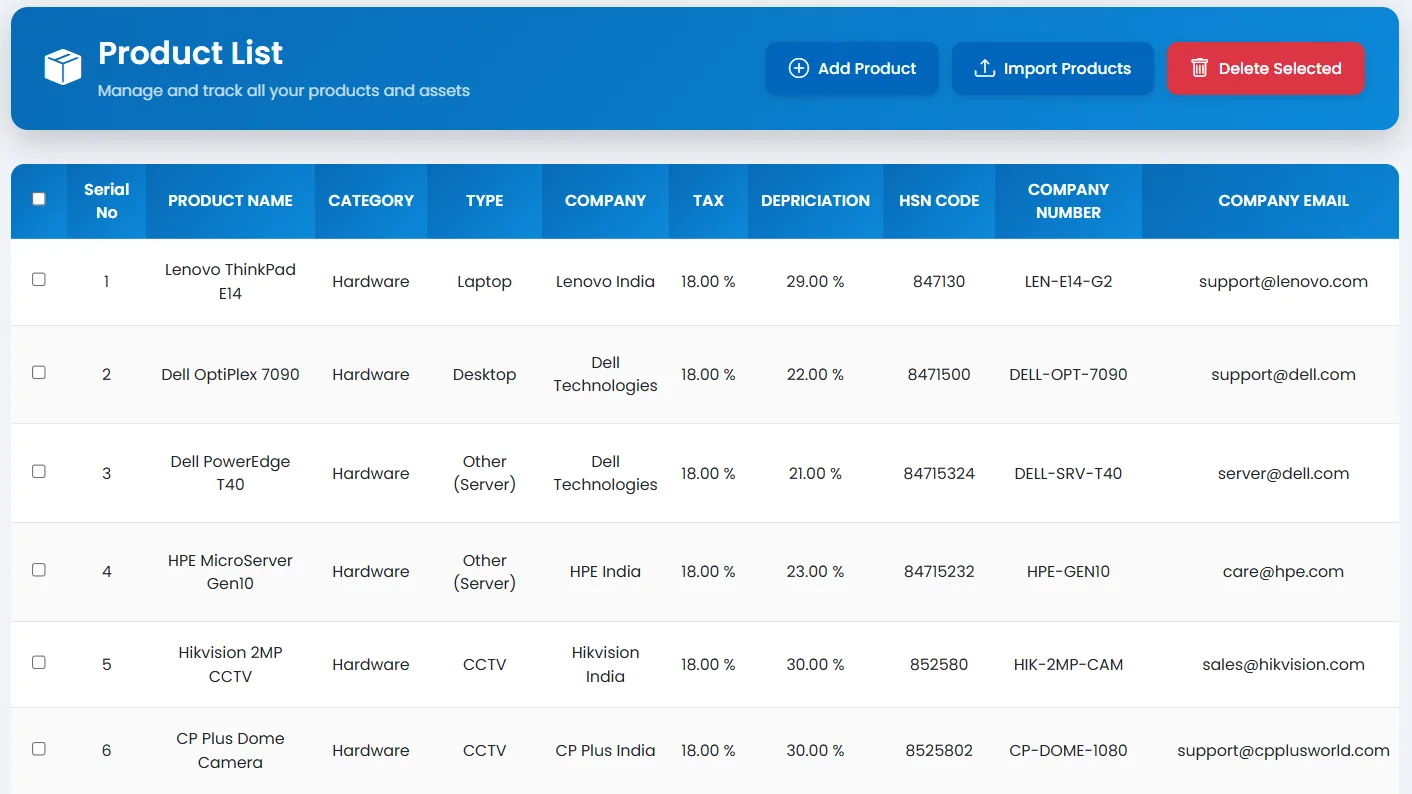
Products
Tracker365 stores product masters so every hardware item, software license, and component can be tied back to procurement, vendors, and lifecycle history.
What it does: Maintains the product catalog used across subscriptions, inventory, procurement, and barcode workflows.
Key capabilities
- Product master management with add, edit, and delete operations.
- Separate intake flows for hardware, software, other assets, and contracts.
- Serial number search and asset detail lookup tied to products.
- QR code and barcode printing for assets and subscriptions.
- Links products to vendors and procurement deals.
How to use
- 1 Go to Products from the sidebar.
- 2 Click Add Product and enter name, category, and specifications.
- 3 Assign vendor and default pricing where applicable.
- 4 Save the product so it appears in subscription and inventory dropdowns.
- 5 Edit or retire products that are no longer purchased.
- 6 Use product records when creating subscriptions, deals, or asset entries.