Reports
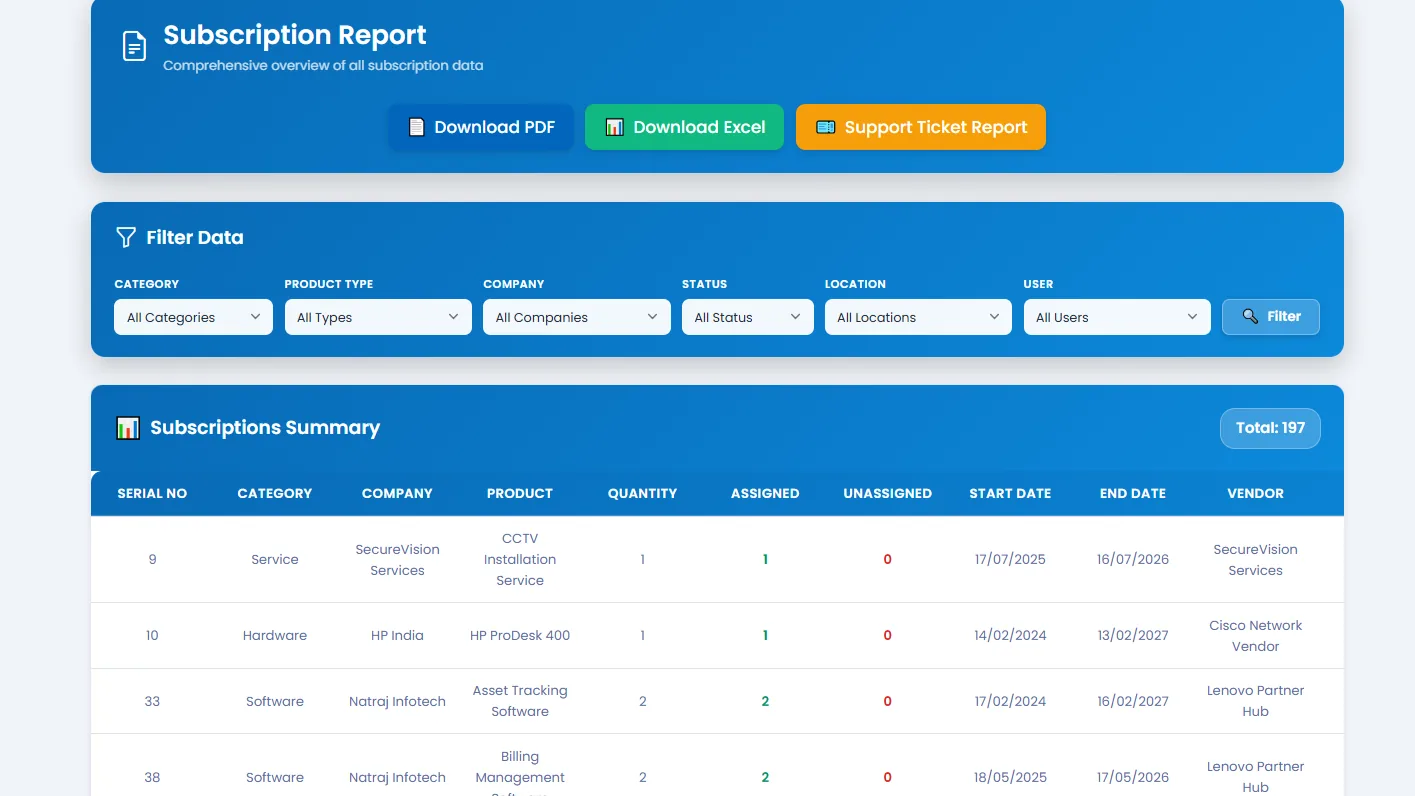
Tracker365 surfaces information through dashboard and report pages that help administrators understand expiring assets, support activity, subscription status, and user-device relationships.
What it does: Reporting hub for subscriptions, support tickets, timelines, and branch-aware operational exports.
Key capabilities
- Report pages for subscriptions and related details.
- Views for expiring subscriptions and live subscription details.
- Support ticket report data endpoints.
- Subscription timeline visual pages for lifecycle visibility.
- Export user and branch information as PDFs for record-keeping.
- Home dashboard with branch-aware behavior.
How to use
- 1 Open Reports from the sidebar or dashboard widgets.
- 2 Choose the report type — subscriptions, support, users, or branch data.
- 3 Apply filters for branch, date range, category, or vendor.
- 4 Preview the report table or chart on screen.
- 5 Export to PDF or Excel where the export action is available.
- 6 Schedule follow-up reviews for expiring subscriptions flagged in reports.