Support
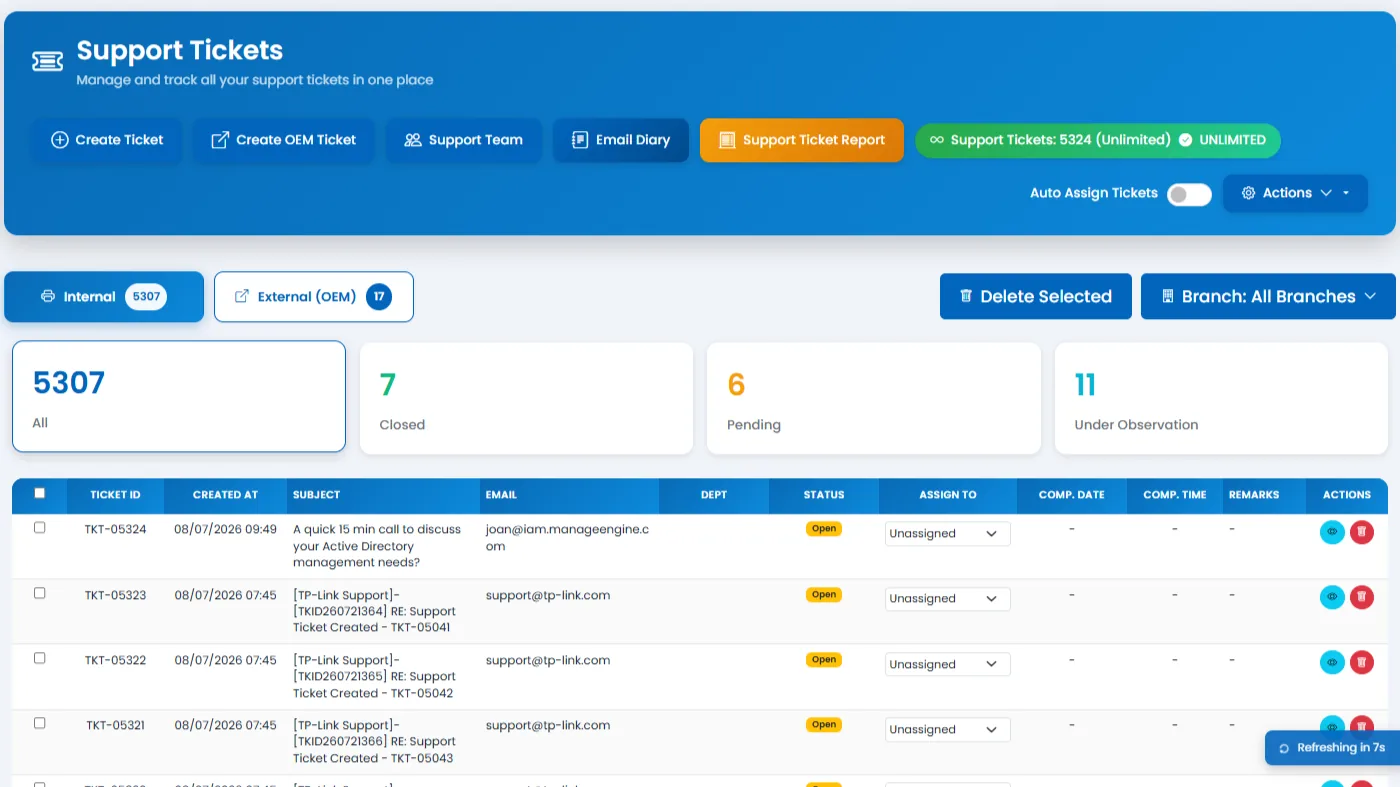
The built-in support desk lets organizations register issues, assign engineers, track remarks, escalate to OEM vendors, and export ticket data for reporting.
What it does: Ticket lifecycle management with team assignment, OEM escalation, remarks, and exportable reports.
Key capabilities
- Create support tickets and browse complaint or ticket queues.
- View ticket details, add remarks, update status, and close tickets.
- Assign tickets manually or via support-team and auto-assignment rules.
- Maintain branch-specific support teams and engineer availability.
- Export support ticket data for reporting.
- Create OEM tickets and transfer eligible tickets to OEM handling.
- Send OEM-related emails and maintain an email diary for follow-up history.
How to use
- 1 Go to Support and create a new ticket with priority and category.
- 2 Assign an engineer manually or rely on support-team auto-assignment.
- 3 Add remarks as work progresses and update ticket status.
- 4 Escalate eligible tickets to OEM handling when vendor involvement is needed.
- 5 Review the email diary for OEM follow-up history.
- 6 Close resolved tickets and export data for SLA reporting.